AUCTION RESULTS
|

|


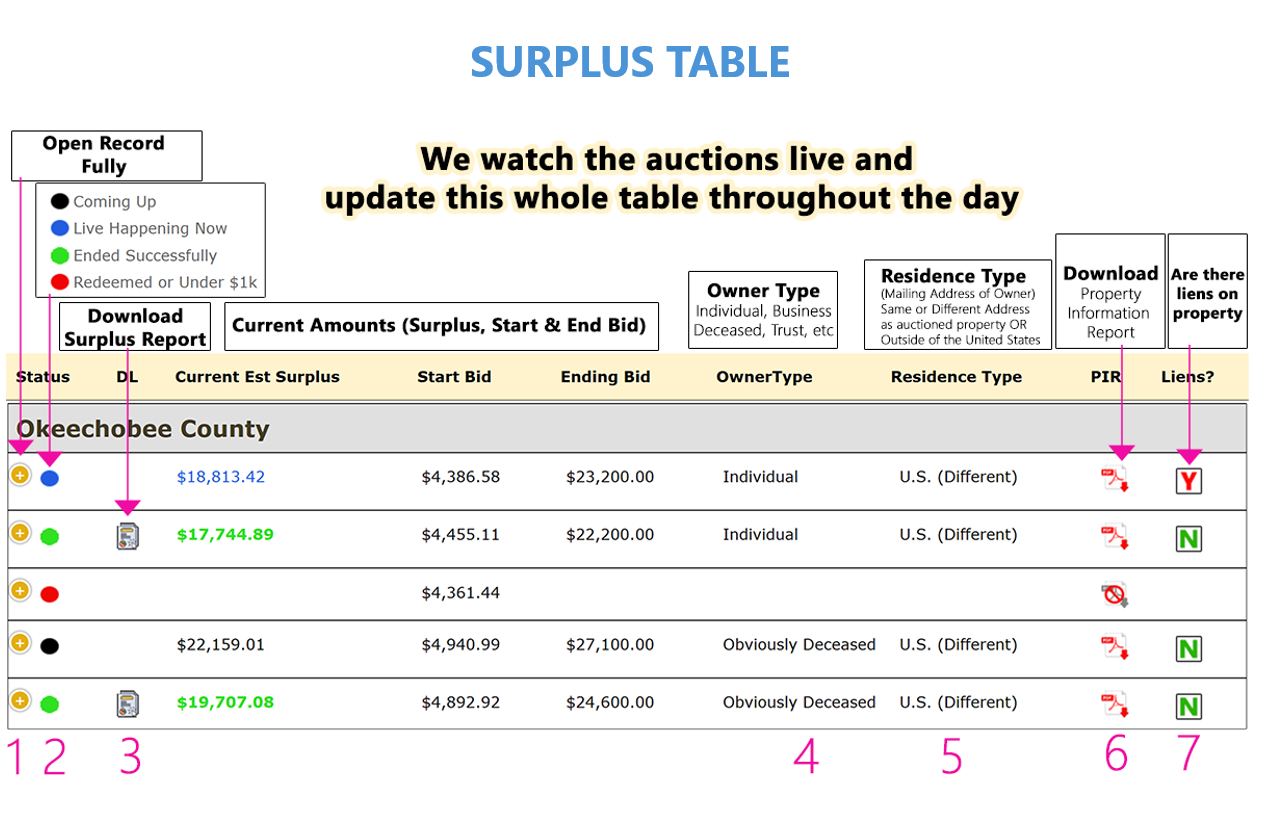
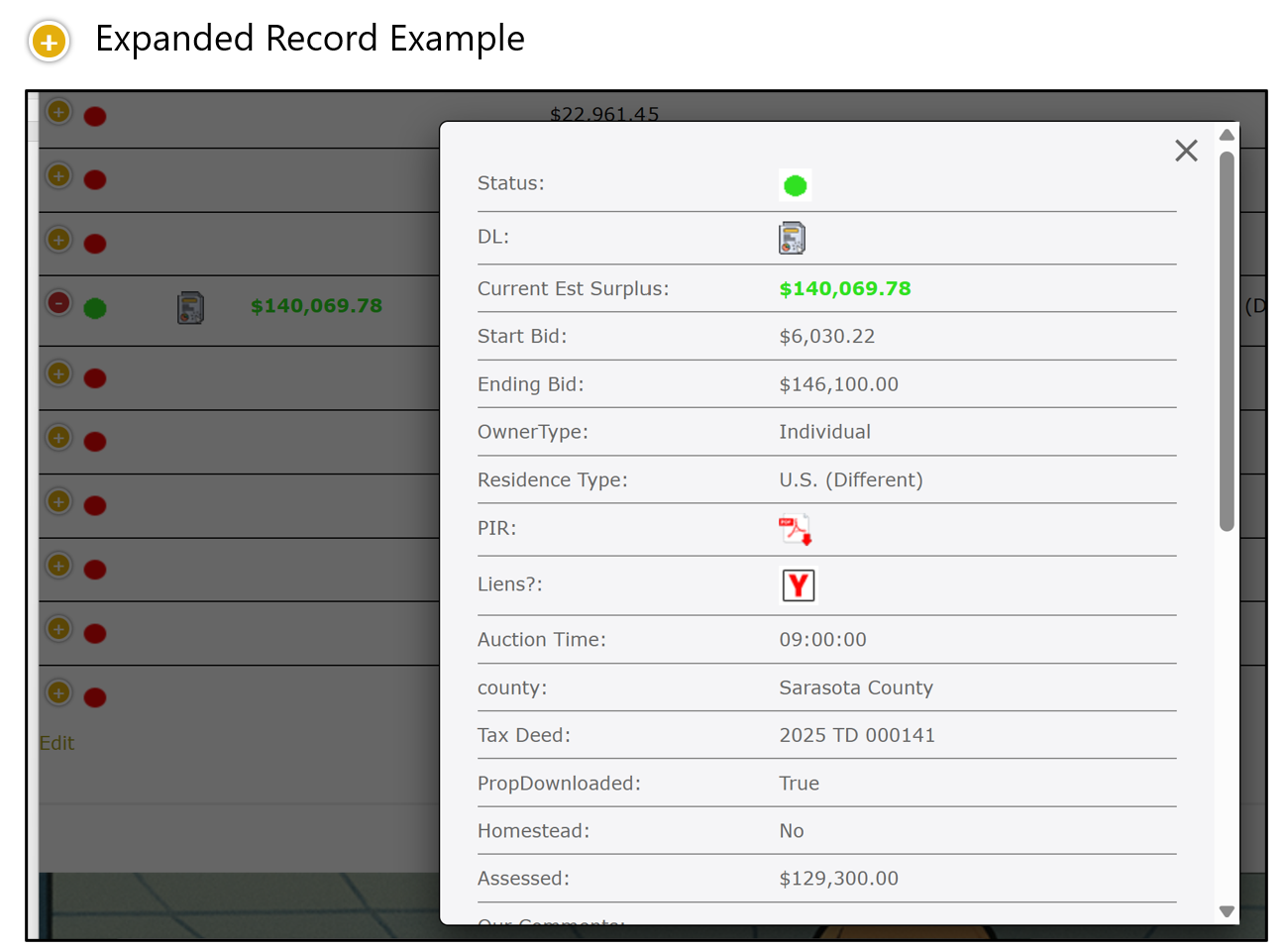
- Clicking the + sign will open this record up fully so you can see all of the fields (See example below)
- The color of the circle will tell you the status of that property (see color legend at top)
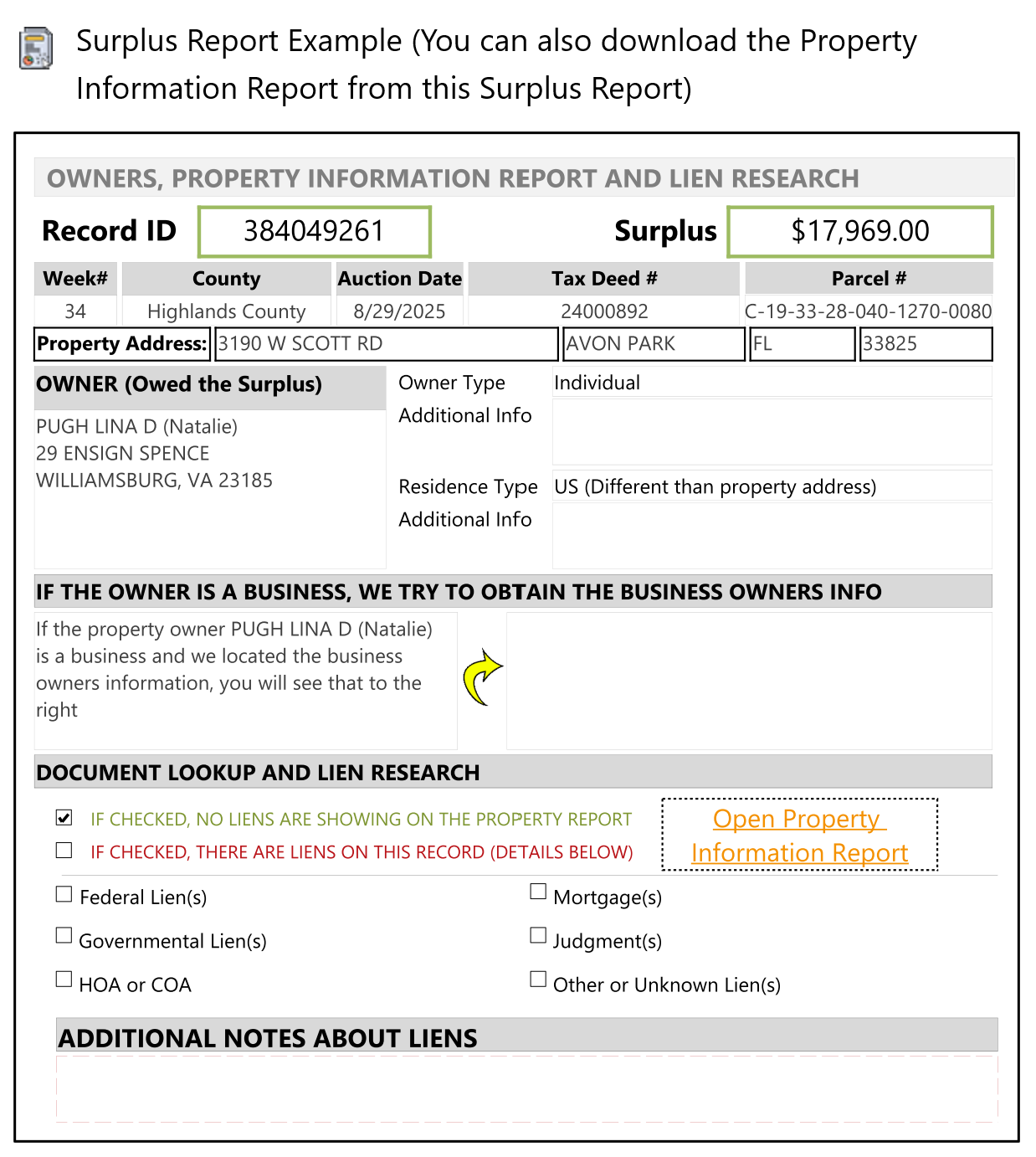
- When a property completes the auction and is successful, a Report Icon will appear allowing you to download a PDF Surplus Report for just that record (See example below)
- Individual, Business and Trust are self-explanatory. With “Obviously Deceased” we are going solely by what we see in the “Owner Name” on the Property Appraisers website or on the Property Information Report. An owner could be deceased but we may not know based on the information we see. We only use “Obviously Deceased” when we know!
- The Residence Type is based off the mailing address that the Property Appraiser and Tax Collector has on file for the property owner.
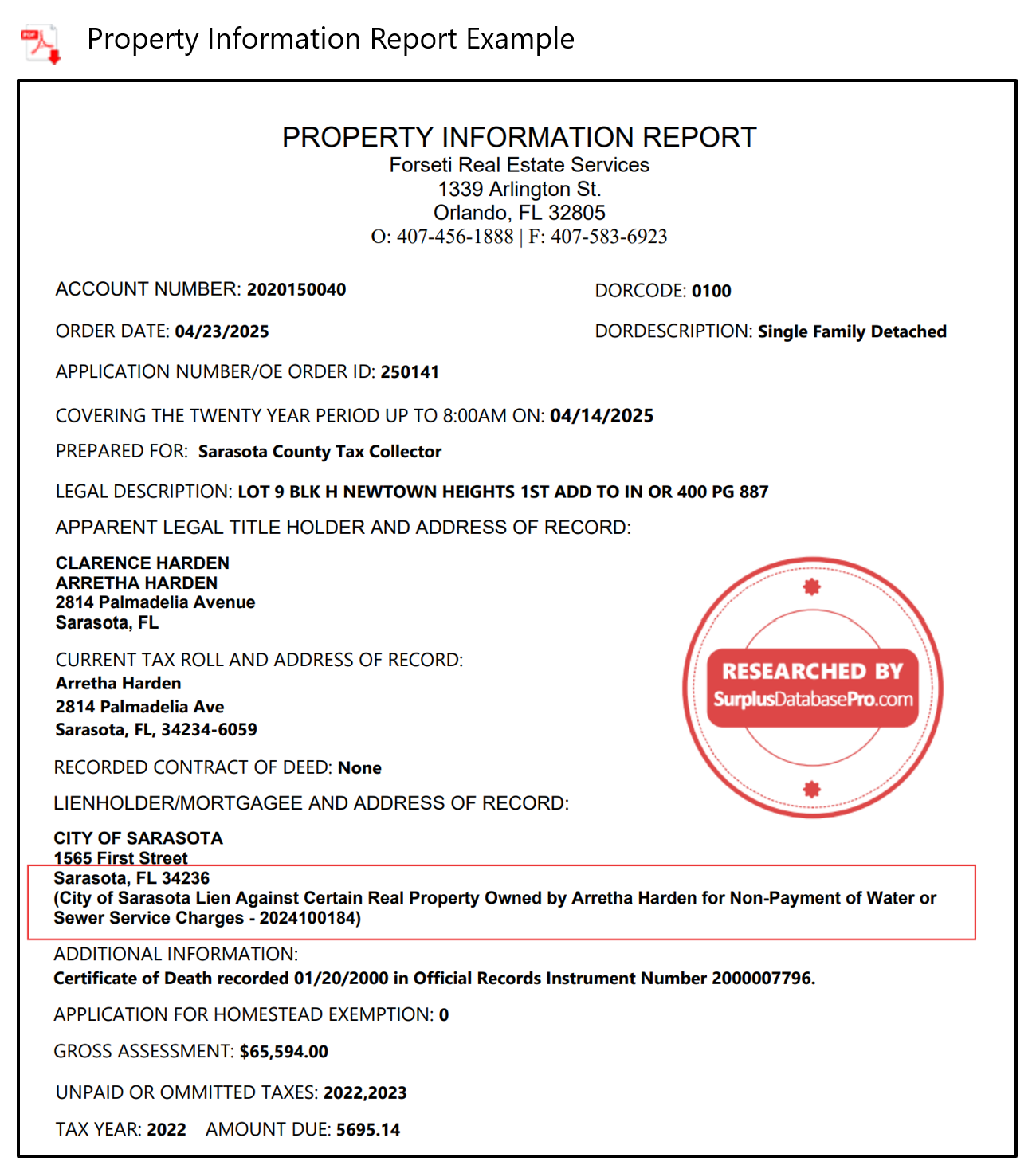
- If we were able to obtain the Property Information Report for that record, an icon will be here for you to download it. If you see a gray PDF icon, that county does not provide their Property Information Report online, so we will never have it. (See example below)
- We research any liens that may be on the property and those can be seen when you click the + sign for each record. However, this column provides a quick view to know if there are liens or not. If you see a box with a question mark, it means one of the following:
- We have not yet checked for liens
- That county does not provide their Property Information Report so we cannot determine if there are liens or not
- The surplus is under 10k. We only research the liens on records with over 10k